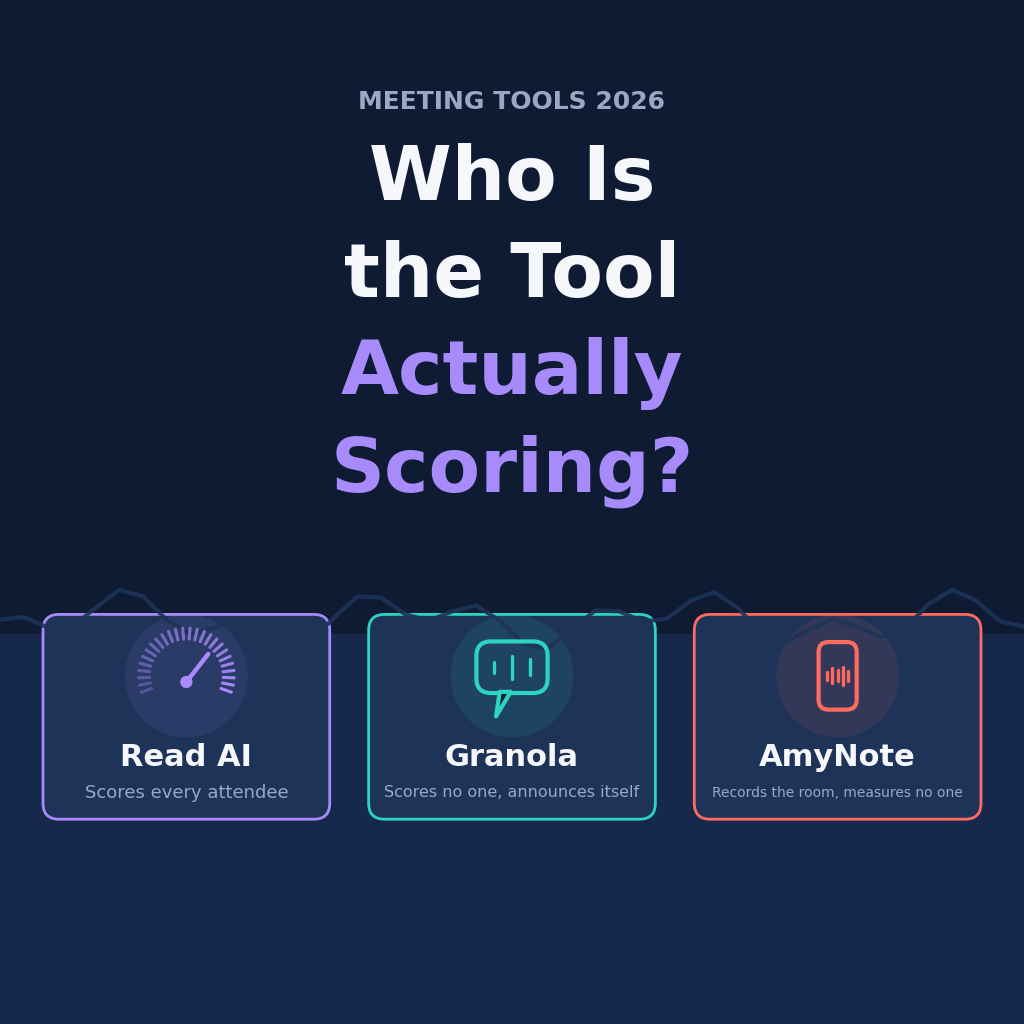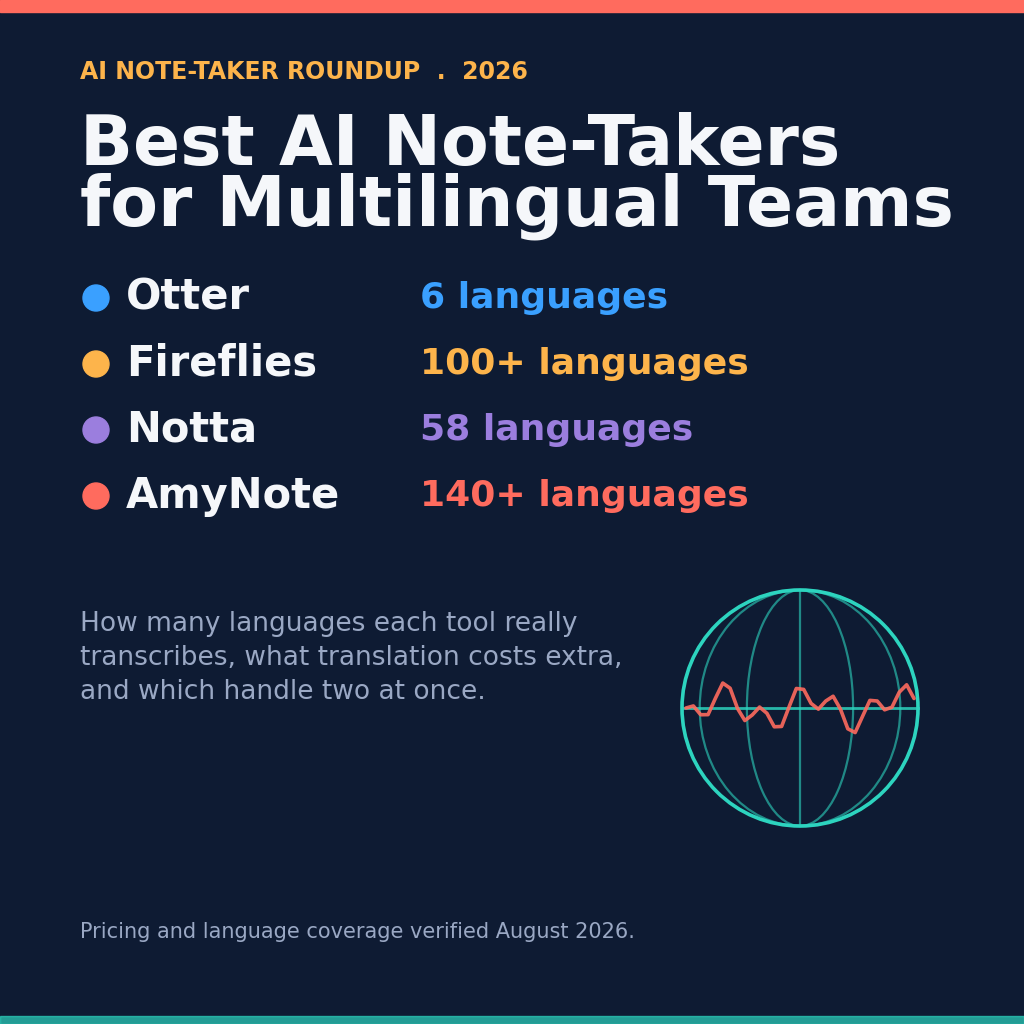
Every meeting tool advertises a language count. Almost nobody checks what that number actually buys, or which page of the vendor’s own site to believe.
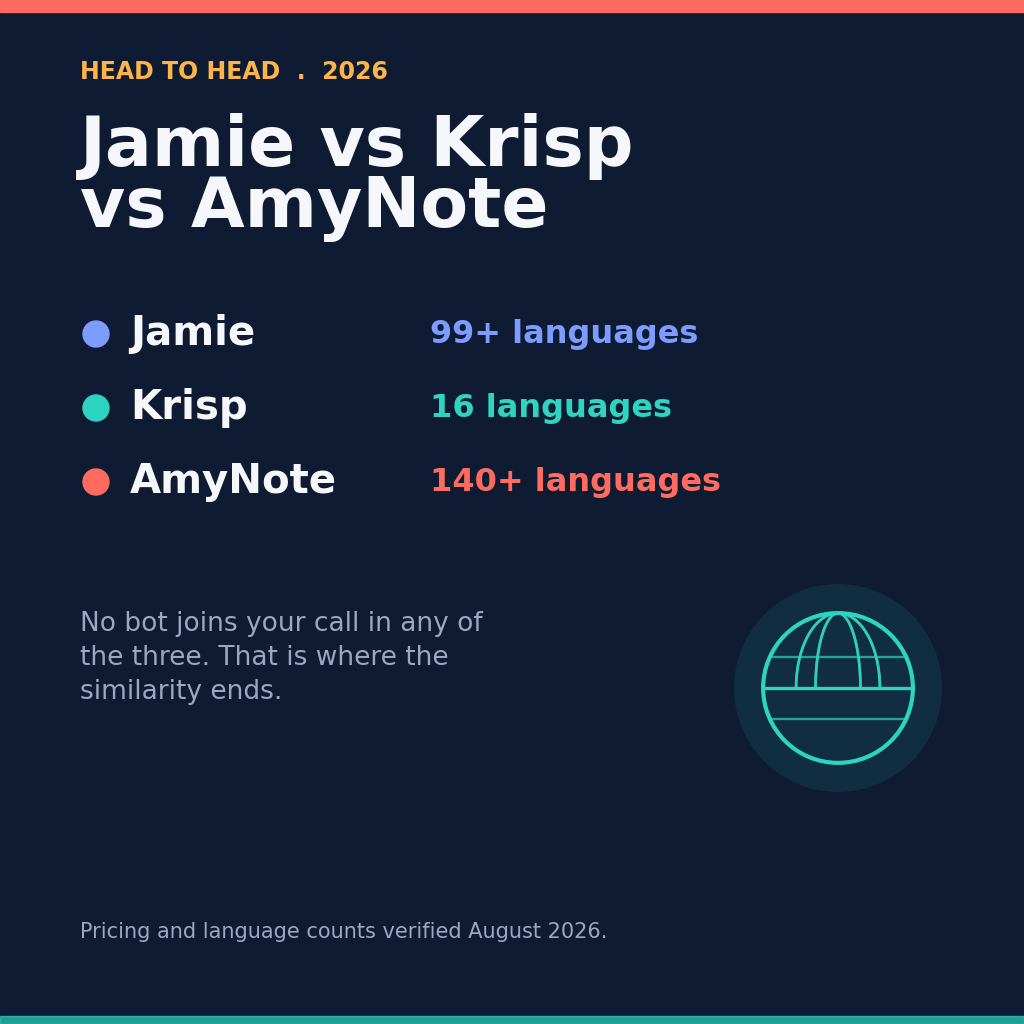
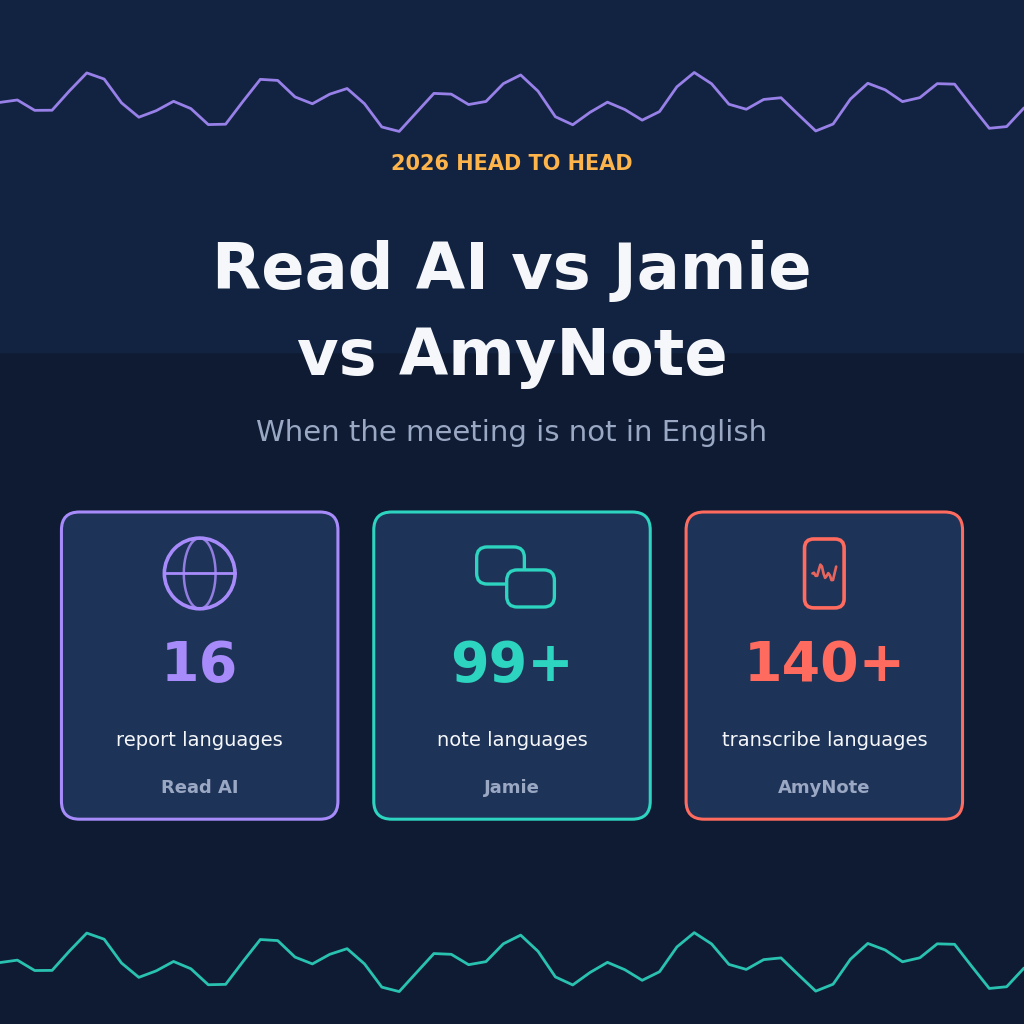
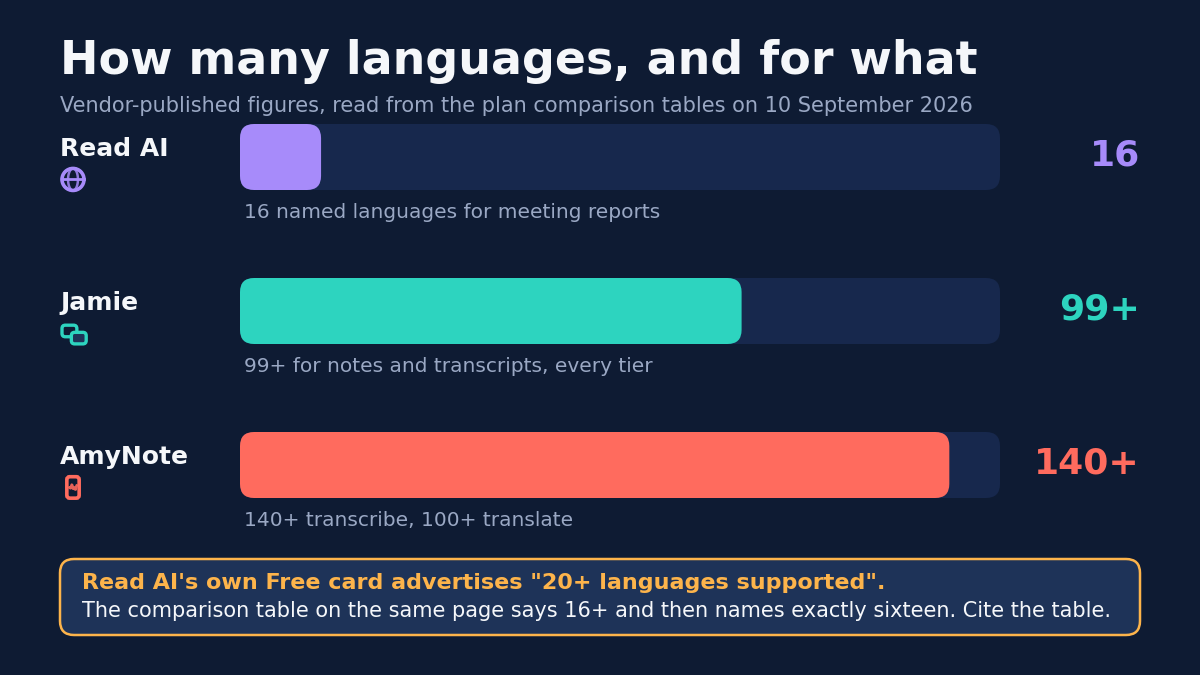
On these three products the same question produces three completely different answers. One names sixteen languages and markets twenty. One ships 99-plus on every tier including the free one. One transcribes 140-plus and translates into 100-plus for a flat fee.
And one of them treats the language you speak as data about you. That is not a rhetorical flourish — it is written into the privacy policy, and it is the single most important difference on this page.
Quick Verdict
Read AI names sixteen languages for its meeting reports and markets twenty. It is the most capable analytics product here and the narrowest one linguistically.
Jamie carries 99-plus languages on every tier including the free one, and is the only vendor here that keeps all processing inside Europe.
AmyNote transcribes 140-plus languages and translates into 100-plus, with tuning for East Asian and Arabic speech. It is iOS only, and it publishes no compliance certifications at all.
What We Compared
Published language coverage and what it actually applies to, pricing in each vendor’s own currency, meeting length ceilings, capture method, and what each privacy policy says about your speech. Every figure was read from the vendors’ own pricing, security and privacy pages on 2026-09-10.
Two of those columns deserve a note before the detail. Language coverage is quoted with the scope attached, because “supported” means something different on each product — report languages are not transcript languages, and neither is the same as translation. And pricing is left in the currency the vendor publishes, because converting EUR to USD to force a single column would invent a precision none of these price lists actually have.
Read AI: Strengths and Weaknesses
Strengths. Read AI is the broadest product here by platform: Windows, macOS, iOS, Android and a Chrome extension, with the mobile apps built to capture in-person meetings as well as calls. It publishes SOC 2 Type 2, GDPR and HIPAA compliance. Meeting Coach reports talking speed, filler words, bias and charisma, and Enterprise adds full audio and video playback.
That analytics layer has no real equivalent on this page. If what you want is a product that tells you how the meeting went rather than merely what was said, Read AI is the only one of the three that even attempts it, and it does so from a well-certified base.
Weaknesses. Start with the number. Read AI’s home page and its Free plan card both say “20+ languages supported.” The plan comparison table on the same pricing page says “Support for 16+ Languages” and then names exactly sixteen. Cite the table, not the card. And note what it covers: those are the languages Read meeting reports are available in.
This is worth slowing down on, because the two claims sit on the same page and cannot both be operative. A marketing card that rounds sixteen up to twenty is a small thing on its own. It stops being small when the number is the reason you are evaluating the product, and when the table that contradicts the card is the one with the named list attached.
Then read the privacy policy, which is where language stops being a feature and becomes an input. Read AI states that it uses audio and visual information “as well as other information like language, to infer certain demographic characteristics about users.” It also infers each person’s role, “such as the client or team manager.”
Speaking a language other than English is not neutral here. It is a signal the product is built to draw conclusions from. And the inference does not stop at the person who bought the licence — it reaches everyone whose voice is in the room, none of whom installed the software or agreed to anything. For a team whose meetings routinely run in two or three languages, that is a structural objection rather than a preference.
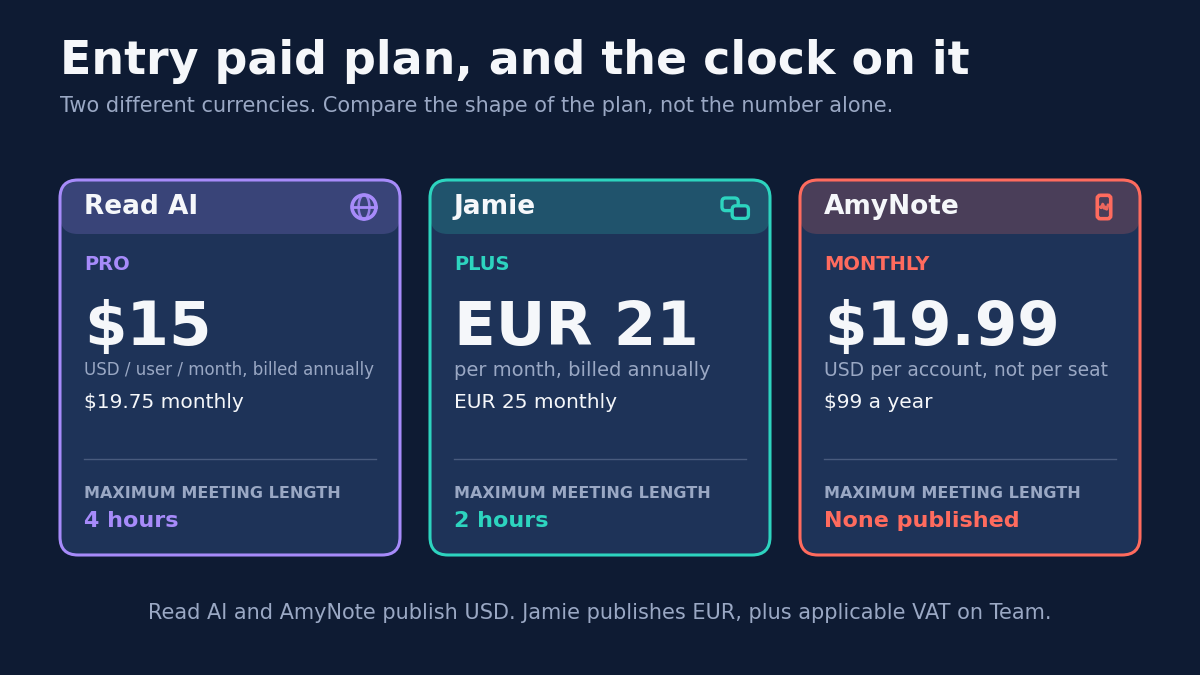
The plans ration in a way the headline price hides. Free is 5 transcripts a month with a 1 hour ceiling. Pro is $15 per user per month billed annually, or $19.75 monthly, and lifts the ceiling to 4 hours. Enterprise is $22.50 annual at 8 hours, and Enterprise+ is $29.75 annual and needs five or more licences. But every card, including Enterprise+, still reads “30 meetings measured per month.”
That 30-meeting ceiling is the detail most likely to be missed at purchase, because it contradicts the shape of every other line on the ladder. Transcript volume and meeting length both scale with the tier. The measurement — the actual reason to choose this product over the other two — does not. A team on the top plan is buying seats, storage and administration, not more analytics.
Jamie: Strengths and Weaknesses
Strengths. Jamie puts 99-plus languages on every plan including Free, for both notes and transcripts, with no upgrade required.
That last clause is the part that matters. On most of this category, language coverage is a tier feature: the free plan handles English, and the languages you actually need appear two rungs up the price ladder. Jamie does not ration it, which means a multilingual team can evaluate the product honestly before paying anything.
Jamie is bot-free, capturing device audio on Mac and Windows, with iOS and Android apps, so a hybrid room and a video call work identically.
Its privacy posture is the strongest here, and it is specific rather than vague. “Your data is never used for training of models, not by us or any of the model providers.” Meeting audio is deleted after transcription. All storage and processing stays within the EEA, Switzerland and the UK. Jamie is ISO 27001 certified, GDPR compliant and DORA compliant, runs regular penetration testing, and sends consent emails.
Weaknesses. It is the most expensive individual plan in this comparison. Free stops at 10 meetings a month with a hard 30 minute cut-off, which makes it a demo rather than a plan. Plus is EUR 21 a month billed annually, or EUR 25 monthly, and only lifts you to 20 meetings and 2 hours. Unlimited meetings start at Pro, EUR 39 annually or EUR 47 monthly.
The duration ceiling never fully disappears: 5 hours is the maximum on Pro, Team and Enterprise alike. For most work that is academic. For an all-day workshop, a board session or a deposition-length interview, it is a hard stop that no amount of money removes.
On compliance, be precise. Jamie’s security page lists GDPR, EU hosting, ISO 27001 and DORA, and mentions no SOC 2 at all. Its pricing table lists “SOC 2 Type II (pending).” Pending is not certified. If a procurement checklist requires SOC 2 today, Jamie does not clear it today — though ISO 27001 satisfies many of the same reviewers, and it is a live certification rather than a promised one.
AmyNote: Strengths and Weaknesses
Strengths. AmyNote publishes the widest coverage of the three: 140-plus languages transcribed and translation into 100-plus, with explicit optimization for East Asian and Arabic. Translation is included rather than sold as an add-on or gated to a business tier.
Pricing is flat and per account rather than per seat: $12.99 a week, $19.99 a month, or $99 a year, after a 3-day trial with no limits. There is no published cap on meeting length and no monthly meeting quota — the only product here of which that is true.
AmyNote also states its limits plainly, which is rarer than it should be. It does not train on your data, does not sell meeting content, and does not require an account for core features.
Weaknesses. AmyNote is iOS only. No Android app, no desktop app, no browser extension. For a mixed-language team on mixed devices that is disqualifying, and both rivals here ship on four platforms.
It publishes no SOC 2, no ISO 27001, no HIPAA and no GDPR certification. Jamie and Read AI both do. In a regulated environment, or anywhere a security questionnaire stands between you and the purchase, that absence ends the conversation regardless of how the product performs.
It is honest about the architecture in a way that cuts against its own marketing: local-first is not local-only. Transcription and AI features upload what they need, processing copies may be retained on AmyNote’s infrastructure, and the security page explicitly refuses to call TLS transport encryption end-to-end encryption. That refusal is a point in its favour on candour and a point against it on capability, and both should be recorded.
Side by Side
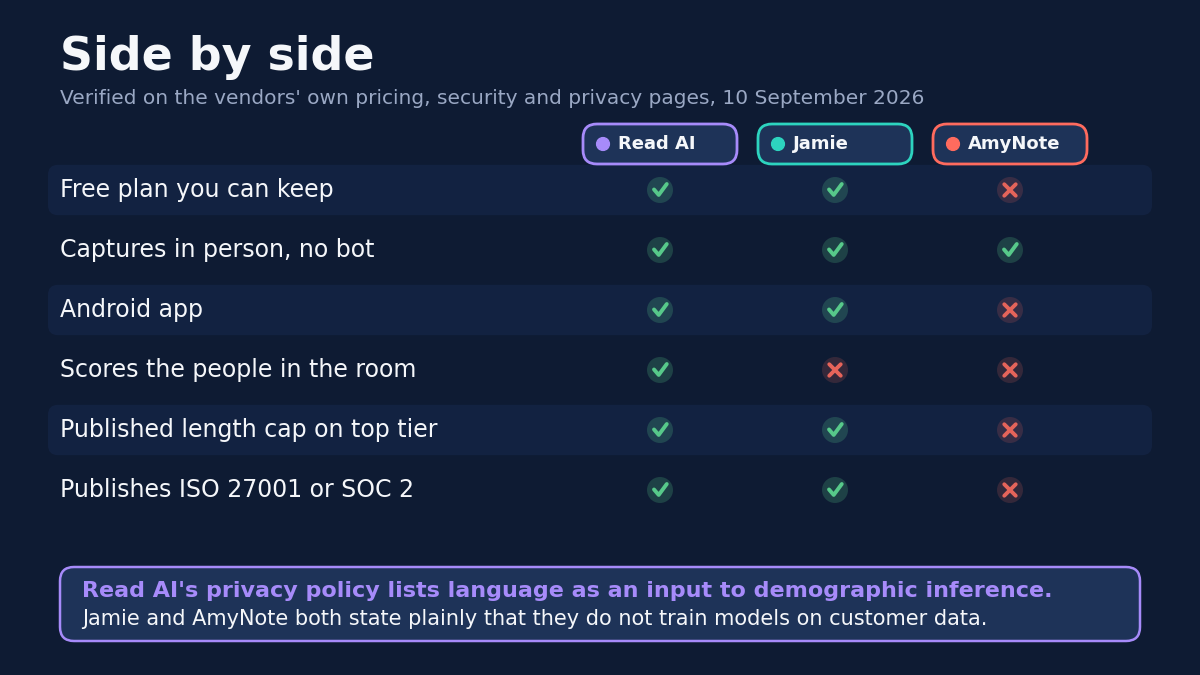
- Languages: Read AI 16 named for reports, marketed as 20+; Jamie 99+ for notes and transcripts; AmyNote 140+ transcribe, 100+ translate
- Free plan: Read AI 5 transcripts a month; Jamie 10 meetings a month; AmyNote none, 3-day trial only
- Entry paid tier: Read AI $15 annual; Jamie EUR 21 annual; AmyNote $19.99 a month or $99 a year
- Maximum meeting length: Read AI 1h, 4h, 8h by tier; Jamie 30m, 2h, 5h; AmyNote none published
- Model training: Read AI reserves it on a legitimate-interest basis; Jamie and AmyNote both say never
Which One Fits You
Your meetings run in English and you want coaching telemetry. Read AI, and nothing else here is close. Buy it knowing the measurement covers everyone present, and that the policy names language itself as an input to inference.
Your data has to stay in Europe. Jamie is the only option on this page, and it is not a grudging one — ISO 27001, DORA, EEA-and-UK processing, and a flat refusal to train on customer data.
You need a free tier that survives real use. Read AI gives you 5 transcripts a month; Jamie gives you 10 meetings capped at 30 minutes. Neither is generous, and AmyNote offers no free tier at all — only a 3-day trial.
Your meetings happen in a room, in languages nobody else lists. AmyNote, accepting iOS-only and no certifications.
The Bottom Line
Choose Read AI if the analytics are the point and your meetings run in English or one of the other fifteen named languages. Accept in exchange that it treats your speech, including which language it is in, as material for inference.
Choose Jamie if your data has to stay in Europe. It is the most expensive option per person and the free tier cuts you off at 30 minutes, but 99-plus languages on every tier and a flat refusal to train on customer data are worth paying for.
Choose AmyNote if you work on iPhone, your meetings happen in a room rather than a browser, and the languages you need are not on anyone else’s list. The trade is real: iOS only, no certifications, no team features. But at $99 a year for 140-plus languages with translation included and no meeting quota, it is the only one of the three that does not make multilingual work an upgrade. Try it free for three days at amynote.app.
Originally published as an X Article by @AmyNoteApp.